
iClean Schedule Logs
The new Schedule Logs feature in the iClean Web Portal improves visibility and accountability by giving authorised users clear insight into scheduling changes, including what was updated, when, and by whom.
What’s New: Schedule Logs
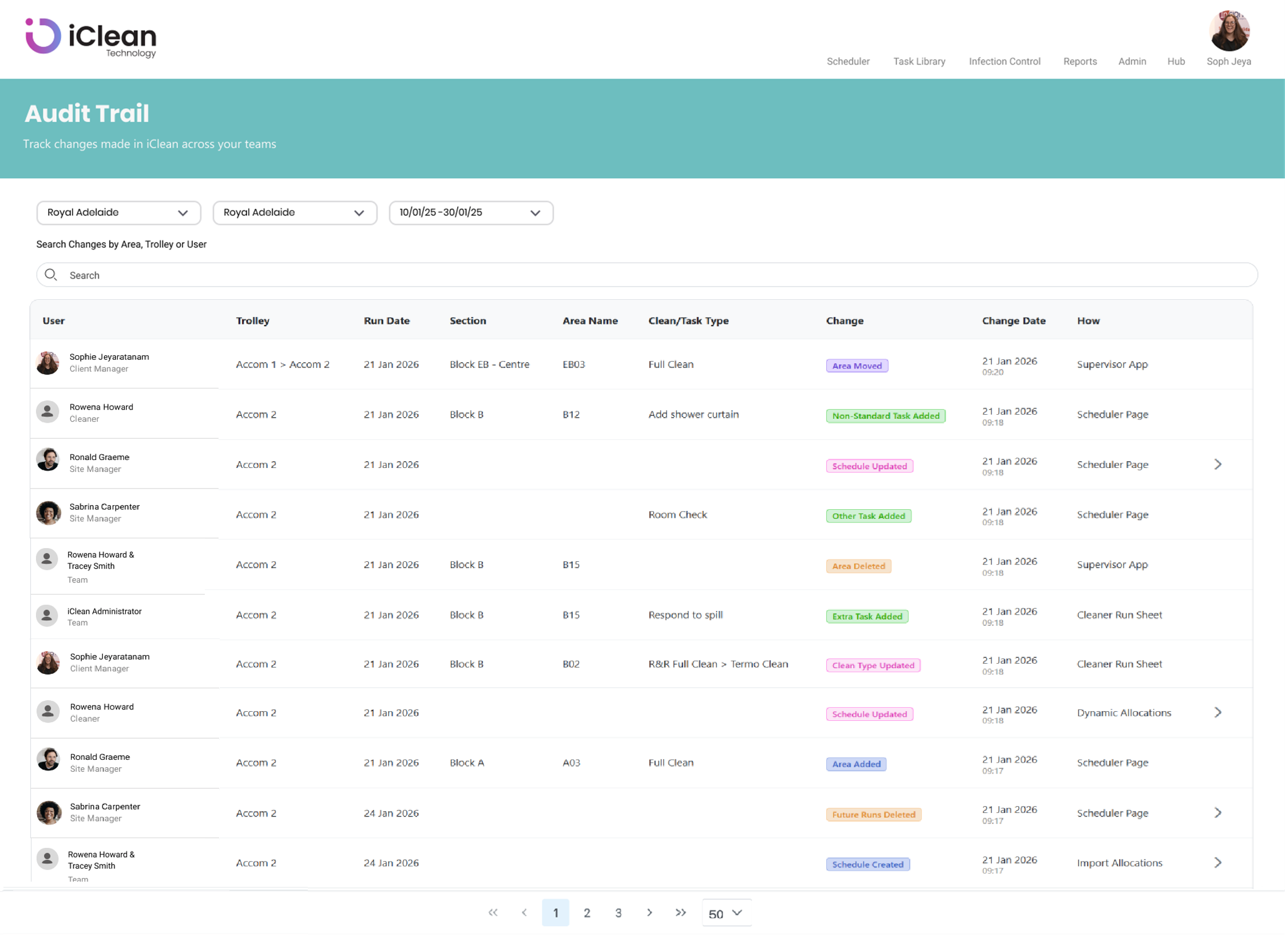
The Schedule Logs provides a clear and detailed audit trail of all schedule-related changes across your organisation.
Once enabled for your organisation, Client Managers will be able to:
View recent schedule changes made across sites and trolleys
See key details such as:
The user who made the change
The area affected
The task or clean type
How the change was made
Filter results by date, area, trolley, or user to quickly find specific changes
This feature is particularly valuable for governance, troubleshooting, and internal reviews, ensuring full transparency into scheduling activity.
How to Access the Schedule Logs
The next time you log in to the iClean Web Portal:
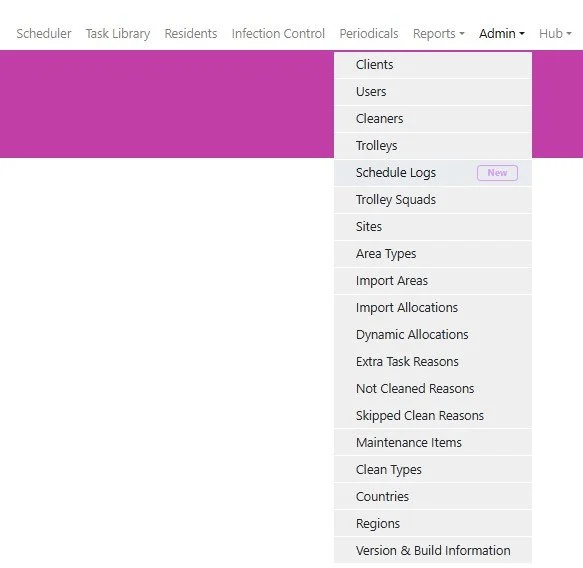
Client Managers will see a new menu item called “Schedule Logs” under the Admin dropdown
The feature will be clearly marked with a “New” badge for easy visibility
Note: Access to the Schedule Logs is restricted to authorised roles only.
What You Need to Do
If you would like your organisation to access the Schedule Logs, this feature can be enabled at the client level.
Please reach out to your iClean contact if you’d like this feature switched on or if you have any questions about how it works